

ScreenApp
https://screenapp.io/Turn scattered recordings into structured knowledge in seconds with AI notetaking, transcription, and summarization.
You're Drowning in Recordings. ScreenApp Throws You a Rope.
Here's a hard truth: most people record meetings and never watch them again. The footage sits in some folder, gathering digital dust. When you actually need to find that one thing the client said 37 minutes in? Good luck.
ScreenApp.io exists to kill that problem. It's an AI notetaker, screen recorder, transcription engine, and summarizer rolled into one web-based platform. Over 3 million users already trust it - and the reasons are obvious once you try it.
Record Anything, Anywhere - No Install Required
ScreenApp runs in your browser. No downloads. No bloated desktop apps eating your RAM. You open the site, hit record, and you're capturing your screen in seconds. There's also a desktop and mobile app for when you're on the move, so recording meetings while traveling is dead simple.
That alone puts it ahead of tools that demand a 10-step setup before you can capture a single frame.
AI Transcription That Actually Works
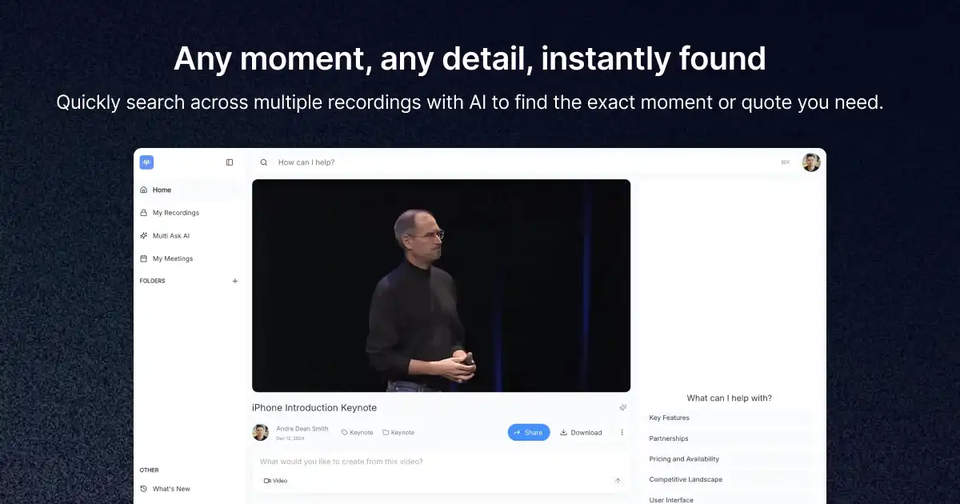
Every recording gets automatically transcribed. But here's what matters: the transcriptions turn your video content into searchable, usable data. Need to find when someone mentioned the Q3 budget? Search for it. Done. No scrubbing through a 60-minute recording like it's 2012.
Summaries in Five Seconds, Not Five Hours
The AI summarization feature takes your entire meeting and compresses it into structured notes. Teams that were drowning in client feedback now record every call and let ScreenApp pull out the key points. That's not hype - that's what users report doing every day.
Dictation and Step-by-Step Guides
ScreenApp goes beyond passive recording. The dictation feature turns your voice into text on the fly - a massive time-saver for anyone who thinks faster than they type. You can also capture your screen and convert recordings into step-by-step guides in any format. Perfect for training videos, SOPs, and onboarding docs.
A Free Tier That's Actually Generous
No watermarks on recordings. The free plan includes 45 minutes of AI processing monthly - enough for most solo users creating training content or recording presentations. That's rare. Most competitors gate everything useful behind a paywall from day one.
Built for Teams and Professionals
Client calls, team demos, presentations, educator lectures - ScreenApp.io handles all of it. The platform is designed so entire teams can record, share, and reference their video knowledge base without friction. It's the difference between "I think they said..." and "Here's exactly what they said, with a timestamp."